

The 10 Best CRO Tools for Shopify Stores (2026)
The best CRO tools for Shopify, grouped by job: analytics, A/B testing, reviews, cart recovery and upsells. Prices, limits, and what to install first.
 Christopher Richards
October 23, 2026
ComparisonsGuides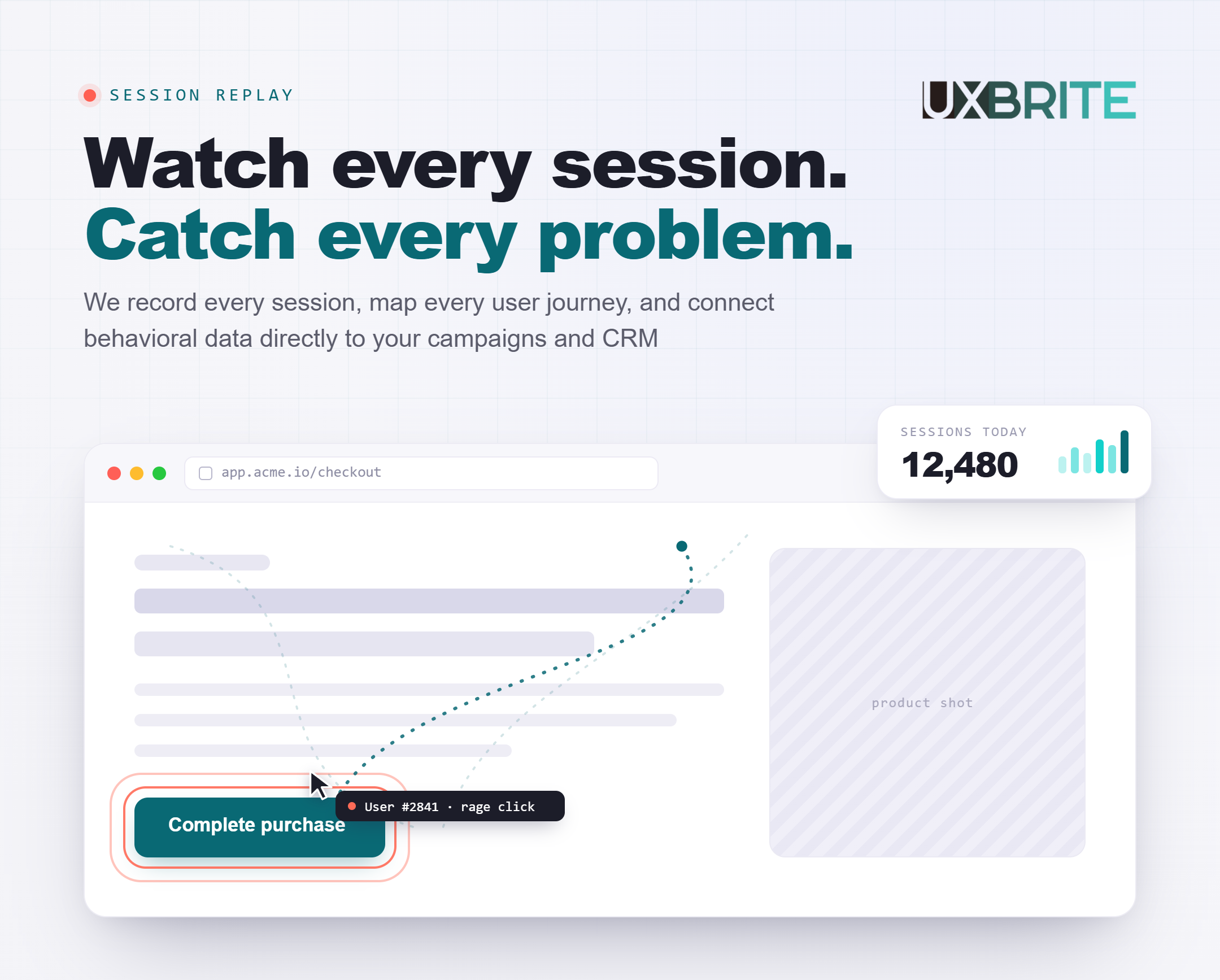
Short answer: Most Shopify stores need one tool for each of four jobs, not ten apps:
See what shoppers do. Shopify Analytics plus Microsoft Clarity (free), or UX Brite or Lucky Orange if you want more.
Build trust on product pages. Judge.me for reviews.
Recover shoppers who leave. Klaviyo for abandoned-cart email and SMS.
Test changes, once you have the traffic. Shoplift for theme and page tests, Intelligems for price and shipping tests.
Add a post-purchase upsell app like ReConvert when you want to raise order value. Start with the free tools. Add paid ones only when a free tool stops answering your questions.
Data as of November 2026. Shopify app prices and plan limits change often, so check each listing before you install. Disclosure: UX Brite is our product. It's one entry on this list, not the winner, and we've tried to say where other tools are the better pick.
What counts as a CRO tool for Shopify?
Conversion rate optimization (CRO) means getting more of your existing visitors to buy. A CRO tool helps with one part of that work. On Shopify, the tools fall into five jobs:
See: Where do shoppers drop off, and why? Shopify Analytics, Microsoft Clarity, UX Brite, Lucky Orange.
Test: Did my change actually increase sales? Shoplift, Intelligems, UX Brite.
Persuade: Do shoppers trust this product enough to buy? Judge.me.
Recover: Can I bring back shoppers who left? Klaviyo.
Expand: Can I raise the value of each order? ReConvert.
Most "best CRO tools" lists mix these together and rank a heatmap app against an email platform. That isn't useful, because they do different jobs. This guide picks the best options within each job, then shows which ones to install first.
How we chose these tools
We looked at tools Shopify merchants actually use for CRO, and kept the ones that met four criteria:
Works on Shopify without custom development. It has a Shopify App Store listing or a simple theme install.
Clear, public pricing, or a free plan you can start on today.
Does one CRO job well. We left out all-in-one "40 tools in one" apps. Bundling makes it hard to tell which feature is working, and it adds weight to your theme.
Honest about limits. For each tool we say who it's not for.
We checked prices and plan limits on each vendor's site or Shopify App Store listing in November 2026. We didn't run lab benchmarks, so treat this as a buyer's guide, not a speed test.
Before you install anything: the Shopify checkout limitation
Most roundups skip this, and it matters for every "see" tool on this list.
Shopify's checkout is a locked-down environment. Your theme's scripts run on product, collection, and cart pages. They don't run inside checkout. As of August 28, 2025, the old "additional scripts" box in Shopify's checkout settings is view-only. Tracking inside checkout now runs through Shopify's web pixels, which work in a sandbox and receive events like "checkout started" and "payment info submitted."
What this means for you:
Expect full session replays and heatmaps on your storefront pages. Inside checkout, many tools only show you events (who reached which step), not a full replay of what the shopper did.
Before you pay for a tool to fix checkout drop-off, ask the vendor exactly what it captures inside Shopify checkout. "Supports Shopify" doesn't answer that question.
Use Shopify's own checkout data for the step-by-step numbers. Use your replay tool to understand the cart and product pages that lead into checkout.
If you're on Shopify Plus, you have more checkout customization options through checkout UI extensions. The tracking still goes through the same sandboxed pixel system.
Sources: Shopify Help Center, checkout upgrade guide; Shopify Web Pixels API.
Job 1: See where shoppers drop off and why
1. Shopify Analytics — best place to start (built in)
Best for: Every store. You already have it.
Before you install anything, open the reports in your Shopify admin. The online store conversion funnel shows how many sessions added to cart, reached checkout, and completed an order. Break it down by device and traffic source. A big gap between mobile and desktop, or between two traffic sources, tells you where to look first.
Price: Included with Shopify. Report depth varies by Shopify plan.
Strengths: It's free. It's already installed. It has the most accurate checkout numbers, because Shopify owns the checkout.
Limitations: It shows you where shoppers leave, not why. That's what the next three tools are for.
2. Microsoft Clarity — best free heatmaps and session replay
Best for: Stores that want replays and heatmaps without spending anything.
Clarity is free, with no paid tier to upgrade into. It has an official Shopify app ("Microsoft Clarity: AI Insights"). You get session replays, heatmaps, rage-click and dead-click signals, conversion funnels, and AI summaries of sessions. For most stores under a few thousand orders a month, it's the right first replay tool.
Price: Free. The Shopify listing says "Free Forever."
Shopify App Store: 4.6★ (2,470 reviews)
Strengths: Free with no session cap to manage. Quick install. Good AI summaries for skimming lots of sessions.
Limitations: It shows you problems, but you can't act on them inside Clarity. There's no testing, no on-site offers, and no way to connect a session to a customer you already know. Support is self-serve.
See how it compares: UX Brite vs Microsoft Clarity.
3. UX Brite — best for seeing what shoppers do and testing the fix in one tool
Best for: Stores that want replays, heatmaps, and A/B testing in one tool, instead of a replay app plus a separate testing app.
(Disclosure: UX Brite is our product.) Most stores pair a "see" tool like Clarity with a "test" tool like Shoplift. UX Brite puts both in one place. You can spot a problem in a replay or heatmap, then A/B test a fix on that page and measure it against your conversion goals, all against the same data.
It also covers what comes after the test. On-site offers let you rotate a few variants (a free-shipping reminder, a returns guarantee, a first-order incentive) and keep the one that converts. UX Brite also recognizes returning customers who already exist in your store or CRM data. A loyal customer doesn't have to see the same pitch as a first-time visitor.
UX Brite supports Shopify today, and a Shopify App Store app is on the way.
Price: Free plan. Starter $34.99/mo. 14-day free trial on paid plans, 25% off with annual billing. Cancel anytime.
Strengths: Replays, heatmaps, A/B testing, and conversion goals in one tool, so you don't pay for two apps or compare two sets of numbers. Offers can be targeted to known vs. new customers. A free plan lets you try it on a real store.
Limitations: Its testing covers pages and offers. It isn't built for price and shipping-rate tests the way Intelligems is. It isn't in the Shopify App Store yet. Like most tools, its view of Shopify's hosted checkout is limited (see the checkout section above).
4. Lucky Orange — best Shopify-native paid analytics
Best for: Stores that want replays, heatmaps, funnels, surveys, and live chat in one Shopify app, with real support.
Lucky Orange has a "Built for Shopify" badge, which is Shopify's mark for apps that meet its performance and integration standards. It tracks cart abandonment and checkout drop-off, builds conversion funnels, and runs on-site surveys. It also works with Shopify Sidekick, so you can ask questions about your store data in plain language.
Price (Shopify listing): Free plan (100 sessions/month). Launch $19/mo (500 sessions). Build $39/mo (3,500 sessions). Grow $89/mo (10,000 sessions).
Shopify App Store: 4.6★ (906 reviews). Built for Shopify.
Strengths: Shopify-first. Surveys add the "why" that replays can't give you. Every feature is available on every plan.
Limitations: Priced by sessions, so costs rise with traffic. The free plan's 100 sessions is only enough to try it out. There's no A/B testing. One reviewer was surprised by an optional auto-upgrade setting, so check your billing settings after you install.
Job 2: Test changes before you commit to them
A/B testing is how you find out whether a change caused more sales. Without a test, a good week can make a bad change look like a win. Two dedicated testing apps lead on Shopify, and they test different things. (UX Brite, #3 above, also runs page tests, alongside its replays and heatmaps.)
Do you have enough traffic to test? A test needs enough orders in each version to tell a real difference from random noise. As a rule of thumb, if your store gets fewer than a few hundred orders a month, a single test can take many weeks to reach a clear result. Spend that time on the "see" tools and fix obvious problems first. Testing pays off once you have the volume.
5. Shoplift — best for testing themes, templates, and page layouts
Best for: Stores that want to test product page layouts, theme sections, landing pages, or a whole new theme against the current one.
Shoplift tests the parts of your store you build in the theme editor. You can test one template against another, run a full theme test, or split traffic between two URLs. Results use a Bayesian model, which reports how likely each version is to win, rather than a pass/fail significance threshold.
Price: Core $99/mo monthly or $74/mo billed annually (up to 50k monthly visitors on annual). Advanced $299/mo. 14-day free trial on every plan.
Strengths: Built for Shopify themes, so most tests need no code. Supports every Shopify theme.
Limitations: Price testing, segmentation by country, and personalization are on Advanced and above. There are no heatmaps or replays, so you'll still need a "see" tool to decide what to test.
6. Intelligems — best for testing prices, shipping, and offers
Best for: Stores that want to test the numbers: product prices, free-shipping thresholds, discounts, and bundles.
Intelligems is built around profit, not just conversion rate. A lower price can raise conversions and still lose money. Intelligems measures that trade-off. Its modules cover price tests, shipping-rate and threshold tests, content and theme tests, and offers like quantity breaks, gifts with purchase, and post-purchase upsells.
Price: Modular, based on monthly order volume, from $69/mo. Discounts for bundling modules. 20% off annual. 14-day trial on all modules except price testing.
Strengths: The deepest price and shipping testing on Shopify. Reports profit per visitor, not just conversion rate.
Limitations: Price tests have a 3-month minimum. Shipping tests require Shopify Advanced or Plus. Costs rise with order volume. It's more than a small store needs.
Shoplift or Intelligems? If your question is "which page sells better," use Shoplift. If it's "which price or offer makes more profit," use Intelligems.
Job 3: Build trust on product pages
7. Judge.me — best product reviews app
Best for: Every store selling products people want to see reviewed first.
Reviews are often the highest-impact CRO change a small store can make. Shoppers who can't touch a product rely on other buyers. Judge.me's free plan is unusually complete. It includes unlimited reviews, photo and video reviews, star ratings, and review rich snippets for Google.
Price: Free plan with unlimited reviews. Awesome plan $15/mo, which adds automatic review reminders, AI replies and summaries, and integrations like Klaviyo. 15-day free trial.
Shopify App Store: 5.0★ (about 49,500 reviews)
Strengths: The free plan covers what most stores need. You can import reviews from other apps, Amazon, and Etsy.
Limitations: Automated review requests, which bring in most new reviews, are on the paid plan. A widget alone won't collect reviews for you.
Use your "see" tool to place reviews well. Replays and heatmaps show whether shoppers scroll far enough to see your review widget. If they don't, move the star rating up near the price.
Job 4: Recover shoppers who leave
8. Klaviyo — best for abandoned-cart email and SMS
Best for: Any store that collects email addresses at checkout. That should be every store.
Many shoppers who leave aren't gone for good. They got distracted or wanted to compare prices. Klaviyo connects to Shopify's customer and cart data, so it can send an automatic reminder with the exact items left in the cart. It handles browse-abandonment and post-purchase flows too.
Price: Free plan for up to 250 active profiles and 500 email sends a month, plus a small monthly SMS credit. Paid plans scale with the number of contacts.
Strengths: Deep Shopify integration. Ready-made templates for cart and browse abandonment. Email and SMS in one place.
Limitations: Costs rise steeply as your list grows. The free plan is mainly for trying it out.
For a full recovery playbook, including timing and when (not) to discount, see How to stop shoppers abandoning their cart.
Job 5: Raise the value of each order
9. ReConvert (Upsell.com) — best for post-purchase upsells
Best for: Stores with natural add-ons: refills, accessories, or "complete the set" products.
The best moment to offer something extra is right after the shopper has paid. ReConvert, now branded as Upsell.com, adds one-click offers after purchase, so the shopper doesn't re-enter payment details. It also handles thank-you page offers, cart and product page cross-sells, and bundles. You can A/B test the offers themselves.
Price: Free for up to 50 orders. Paid plans from $9.99/mo, priced by order volume. 14-day free trial.
Shopify App Store: 4.8★ (3,131 reviews)
Strengths: Doesn't add friction before the sale. Fast setup. Offer-level A/B testing included.
Limitations: Upsells inside checkout require Shopify Plus. A badly chosen offer can feel pushy, so start with products that genuinely go together.
Also worth a look
10. Hotjar (now part of Contentsquare)
Hotjar is a well-known name in replays, heatmaps, and on-site surveys. Its pricing page now redirects to Contentsquare, so check what's included on the plan you'd actually buy.
Two other options you'll see on other lists: all-in-one CRO apps (like Vitals) and page builders (like PageFly or GemPages). We left them off the main list on purpose. All-in-one apps make it hard to tell which feature is helping. Page builders are design tools, not measurement tools. Both can be the right choice. Just pair them with a "see" tool so you can tell whether they're working.
Quick comparison
Shopify Analytics (See): included with Shopify. Best for finding where shoppers drop off.
Microsoft Clarity (See): free. Best for free replays and heatmaps.
UX Brite (See + test, our product): free plan, paid from $34.99/mo. Best for replays, heatmaps, and A/B tests in one tool.
Lucky Orange (See): free plan (100 sessions), paid from $19/mo. Best for Shopify-native replays, funnels, and surveys.
Shoplift (Test): 14-day trial, from $74/mo billed annually. Best for theme and page tests.
Intelligems (Test): 14-day trial, from $69/mo. Best for price, shipping, and offer tests.
Judge.me (Persuade): free plan, paid $15/mo. Best for product reviews.
Klaviyo (Recover): free plan (250 profiles), paid scales by contacts. Best for cart-abandonment email and SMS.
ReConvert (Expand): free up to 50 orders, paid from $9.99/mo. Best for post-purchase upsells.
Prices as of November 2026, from each vendor's site or Shopify App Store listing.
Which tools should you install first?
Match the stack to your store's stage. Don't install everything at once. Each app adds scripts to your theme, and too many slow your store down. A slow store is a conversion problem of its own.
Just launched, or under ~100 orders a month ($0/month): Shopify Analytics, Clarity, Judge.me (free), and Klaviyo (free).
Growing, with steady sales (about $25–$90/month): Add automated review requests (Judge.me Awesome) and a post-purchase upsell (ReConvert). Upgrade to UX Brite or Lucky Orange if you want built-in testing, targeted offers, surveys, or support.
Enough orders to test, a few hundred or more a month (about $100–$300+/month): Add Shoplift for page tests or Intelligems for price and shipping tests. If you're already on UX Brite, run page tests there first.
A simple order of operations:
Find the leak. Use Shopify Analytics to find the step where most shoppers leave.
Watch why. Watch 10–20 replays of sessions that left at that step.
Fix the obvious things first. Broken buttons, hidden shipping costs, and slow mobile pages don't need a test. Just fix them.
Test the uncertain things. If you're not sure a change will help, and you have the traffic, test it.
Recover and expand. Set up cart recovery and post-purchase offers so you get more from the shoppers you already have.
After each change, check your store's speed and conversion rate. If a new app doesn't move the numbers within a month or two, uninstall it, and make sure its code is removed from your theme.
Frequently asked questions
What is the best free CRO tool for Shopify?
Microsoft Clarity for replays and heatmaps, used alongside Shopify's built-in Analytics. Add Judge.me's free plan for reviews and Klaviyo's free plan for cart-abandonment emails, and you have a working CRO stack for $0.
Do I need a paid CRO tool for my Shopify store?
Not at first. Free tools cover the basics for most new stores. Pay for a tool when a free one stops answering a question you need answered. Examples: you want on-site surveys, offers targeted to returning customers, or proper A/B tests.
How much traffic do I need to A/B test on Shopify?
Enough orders in each version to separate a real difference from chance. As a rule of thumb, stores with fewer than a few hundred orders a month will wait a long time for clear results. Fix obvious problems first, and start testing once you have the volume.
Can CRO tools track Shopify's checkout?
Partly. Shopify's checkout runs in a sandbox. Theme scripts don't run there, and tracking goes through Shopify's web pixels. Most tools can see that a shopper reached each checkout step. Full replays inside checkout are limited. Ask each vendor what it captures before you buy a tool specifically for checkout.
Will CRO apps slow down my Shopify store?
They can. Every app that adds a script to your storefront adds some load time. Install only the tools you'll use, check your speed before and after, and remove leftover code when you uninstall an app. Apps with Shopify's "Built for Shopify" badge have to meet Shopify's performance standards.
What's a good conversion rate for a Shopify store?
It depends heavily on your product, price, and traffic source, so industry averages aren't much help. Compare your conversion rate to your own history, and break it down by device and traffic source. That shows you where the biggest improvement is.
Start with what you can see
The best CRO tool for your Shopify store is the one that answers your next question. For most stores, that question is "where are shoppers leaving, and why?" Start there with free tools, fix what you find, and add testing and recovery as you grow.
If you want to see what shoppers do and test the fix in the same place, try UX Brite free. There's a free plan, and paid plans include a 14-day trial.
Disclosure: UX Brite is our product. This guide is based on vendor websites and Shopify App Store listings as of November 2026. Check current details on each vendor's site.